Can ChatGPT login to WordPress from a chat?
Typing your website address into a conversation does not give the assistant access to your WordPress dashboard, hosting or database. It can help draft a page or explain an error using the information you provide. Changing the actual site requires a connected tool, credentials and permission to act.
A plain conversation
Useful for an outline, wording or an explanation. It cannot confirm that an unpublished edit exists on your site simply because it produced the text in chat.
An MCP connection
Gives a compatible agent a defined set of WordPress actions. We choose which actions it can discover and which user is allowed to run them.
A server connection
Lets an authorized coding agent use server tools. This can reach beyond the dashboard, so the server account and execution rules matter as much as the prompt.
For a business, the useful question is what can be completed and verified: correcting service hours, preparing a bilingual landing page or finding why a form stopped delivering leads. Start with that outcome, then choose the smallest connection that supports it. Our WordPress web design hub puts these tasks in the wider context of a site that brings in inquiries.
↑ Back to topCan ChatGPT login to WordPress with MCP?
A compatible, configured AI client can use WordPress tools through MCP. The official WordPress MCP Adapter bridges the Abilities API, introduced in WordPress 6.9, to agent tools. Think of an ability as a named action with defined inputs and permission checks, rather than unrestricted dashboard access.
The WordPress connection guide describes WP-CLI over STDIO, meaning a local process connection, or HTTP through the @automattic/mcp-wordpress-remote proxy with a WordPress application password. The client must support the chosen connection.
The connector does not invent missing features
We first inventory what your installed plugins actually expose. If a booking plugin has no suitable ability, connecting MCP does not automatically make its booking rules manageable. We either define a narrow integration, use another controlled route or leave that task with a person.
↑ Back to topWordPress hosting with SSH access: what matters
Coding agents such as Claude Code or Codex CLI can work through an authorized terminal connection, using SSH to reach the server and WP-CLI to operate WordPress. A Grok-based agent needs an actual terminal integration and the same authorization; a chat window alone is insufficient. We use these agents daily with guardrails and review their proposed work.
On a GoDaddy-style cPanel account, enable SSH in your hosting panel, set the SSH password or preferably authorize an SSH key, and note the internal username and server IP or hostname. The hosting username may differ from your WordPress login. GoDaddy’s SSH guide covers its cPanel option; other plans may restrict access.
ssh siteuser@staging.example.com
cd /home/siteuser/public_html
wp plugin list
wp post list --post_type=page --fields=ID,post_title
wp search-replace 'Old label' 'New label' wp_posts \
  --include-columns=post_content --dry-run
Illustrative host, user, path, text and table name. Confirm the staging installation and its table prefix first; the last command previews replacements without saving them.
The WP-CLI search-replace reference explains that --dry-run reports the operation without saving replacements. We review matches and limit the target before approving a write. A preview can still reveal private content, so we protect its output too.
↑ Back to topAI for WordPress: useful work and hard limits
Good tasks have a clear input, a narrow target and a result you can check. Ask for a draft or a report before a live change. That makes AI useful for recurring work without turning an unclear request into dozens of edits.
Content updates
Prepare approved service text, format a page or draft Spanish copy for review. Check prices, hours, service areas and claims against business records before publication.
Bulk edits
Find an old service label across an agreed set of pages and propose replacements. Review the match list, protect URLs and unrelated records, then test a small batch.
Plugin audits
Inventory plugins, versions, purposes and overlaps. The agent can organize findings; a person checks dependencies and vendor information before removing or updating anything.
Log reading
Summarize a sanitized error excerpt and suggest a reproducible check. Keep customer messages, tokens and full database exports out of model inputs unless specifically authorized and necessary.
For Google visibility, use the agent to check an agreed page list, proposed titles and links. Do not let a bulk rewrite silently change addresses, index settings or pages that already attract customers. Better wording alone does not prove better rankings or more leads.
↑ Back to topWordPress AI needs controls you can verify
Before we connect an agent, we agree on what it may inspect, what requires approval and how we recover. Backups and logs must exist outside the agent’s own account where practical. These controls are part of the setup, not a sentence added to the end of a prompt.
| Risk | Guardrail |
|---|---|
| Bad change | Automatic backup before every session |
| Live disruption | Staging first |
| Too much access | Least privilege user + restricted shell |
| Wide replacement | Dry-run + review target records |
| Unexpected writes | Read-only tools by default |
| No audit trail | Log every command and tool action |
| Leaked credentials | Never paste production passwords in chat |
| Access left open | Revoke session keys after work |
Do
- Name the site, environment, pages and allowed action.
- Review a preview and approve the exact change.
- Keep secrets in protected local configuration.
- Stop when results differ from the approved plan.
Don’t
- Say fix everything and allow unrestricted commands.
- Share your main hosting password in a conversation.
- Treat a successful command as a passed business test.
- Leave temporary keys active after the engagement.
Treat instructions found inside posts, uploaded files and logs as untrusted content, not permission to run commands. The agent should stop if those materials ask it to reveal secrets or change the approved task. We also redact credentials from command logs, so recording activity does not create another password store.
↑ Back to topSet up AI management with a human checkpoint
We start with one useful task, such as reporting on plugins or updating an approved page. A small first assignment exposes access problems and missing tests before you depend on automation. You receive a written scope covering the connection, allowed work and acceptance checks.
- Step 1
Map the task and choose the route
Review hosting, WordPress version, plugins and the business outcome. Choose reviewed MCP abilities when they cover the task, or restricted SSH and WP-CLI when server work is necessary.
- Step 2
Prepare backups and isolated staging
Configure an automatic backup before each agent session and verify files, database and external storage. Test restoration to staging, with customer emails, live payments and outbound integrations disabled or redirected.
- Step 3
Create limited access
Set up a dedicated user, application password or SSH key through a secure handoff. Allow only necessary tools, protect credentials and configure command or tool logs before connecting the agent.
- Step 4
Run a read-only trial
Confirm the target site and ask for a report without edits. Check that disallowed actions are blocked and that the report matches the actual site, not assumptions about a standard WordPress installation.
- Step 5
Review and test one proposed change
Inspect the preview, approve its scope and apply it on staging. Compare the changed page and test the customer journey in both languages where relevant, recording any existing failures separately.
- Step 6
Publish, verify and close access
Apply only the approved change to production, preserving new orders and inquiries. Verify the live result, monitor for errors, deliver a change summary and revoke temporary keys and application passwords after the session.
- Fresh backupFiles and database, stored off the server.
- Update on stagingSame versions as live, one batch at a time.
- Test what makes moneyForms, checkout, booking, login, key pages on mobile.
- Update liveLow-traffic hour, cache purged after.
- Watch, or roll backCheck errors and uptime; restore if something broke.
See our WordPress backups guide, safe update process and security checklist for the underlying controls. A restored database can erase newer inquiries or orders, so rollback must account for data created after the backup.
↑ Back to topCheck leads and sales after every AI change
The agent’s completion message is a claim to verify. A content edit can break a booking link, a plugin change can stop form delivery, and a cached page can keep showing yesterday’s offer. Define the evidence before running the task.
Close the ticket only after these checks
- Review the actual changes.Compare the approved page list with the final edits. Confirm business facts, Spanish wording, images, links and anything the agent left unresolved.
- Use the site as a customer.Check desktop and phone layouts, send a labeled form test and confirm inbox delivery. For booking or checkout, use an agreed test path and verify the receiving system.
- Check the published version.Verify the public page after any cache refresh. Confirm navigation and existing URLs, and inspect index settings if the task touched search visibility.
- Keep a usable change record.Record backup reference, approvals, commands, results and access revocation. Give unresolved items an owner; do not hide them behind a general success message.
Target: staging only, approved service pages.
Task: report old opening hours and page IDs.
Mode: read only. Do not publish or edit.
Return: page, current text, proposed text.
Stop: unexpected access or private customer data.
Next: wait for review of the proposed changes.
For the form test, our WordPress email guide explains why a success message does not prove delivery. If the goal is more inquiries, review the conversion guide alongside technical completion.
↑ Back to topUse clear rules where the business needs certainty
Sometimes a tested rule is the better tool for a recurring customer decision. For Gold Wrench, a mobile mechanic in Orlando, we built a custom bilingual booking journey using HTML, CSS, JavaScript, PHP and Google Calendar. This is a custom integration example, not a claim that an AI agent runs its bookings.
The customer enters an address and the system checks that day’s calendar. If it is within about a 30-minute drive of appointments already booked in that zone, it offers nearby slots, such as a morning in the north area. Otherwise it offers the afternoon or another day according to availability.
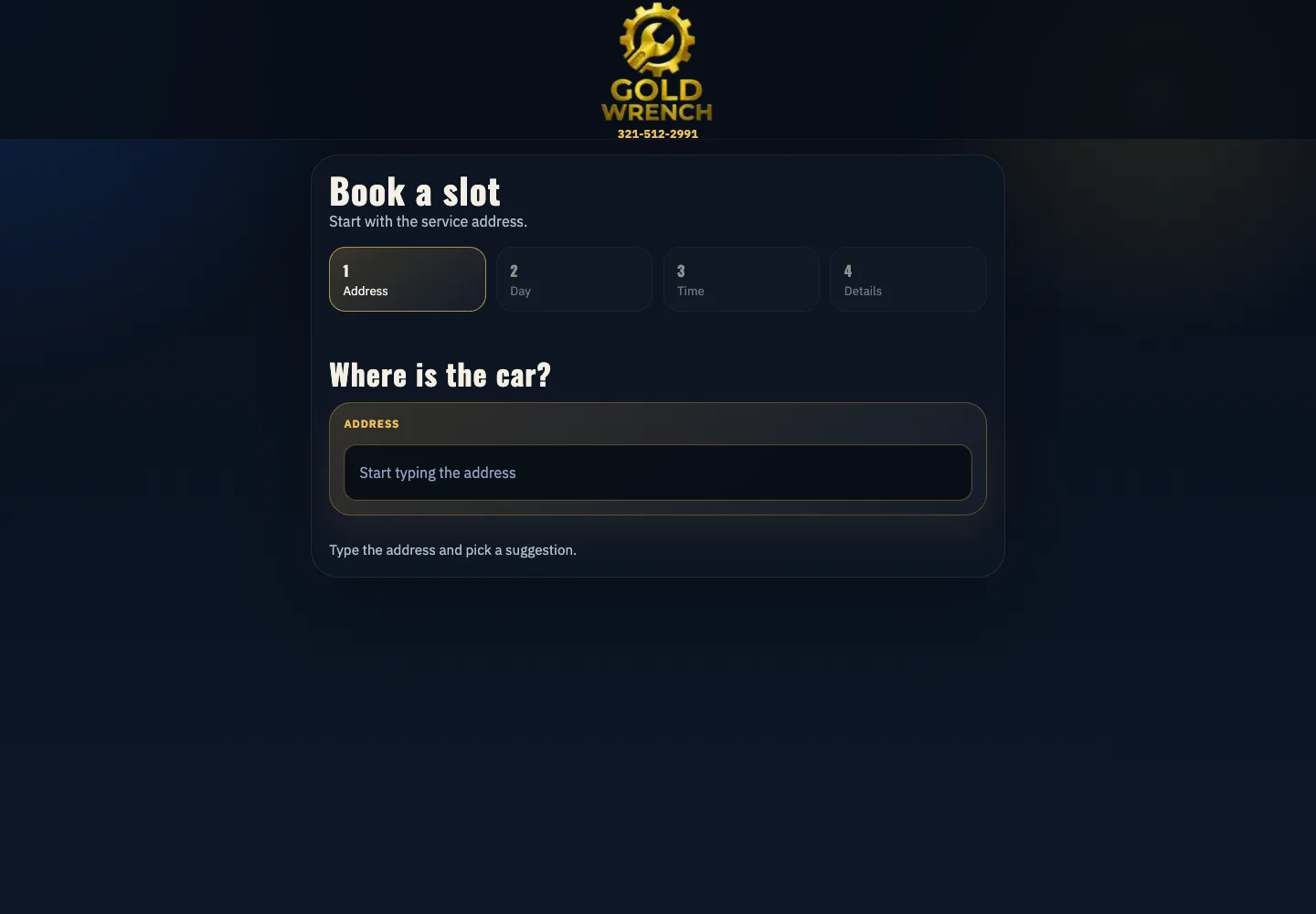
The result is less driving between jobs and booking without phone tag. An agent can assist with maintaining approved text or investigating a reported error, while tested scheduling rules decide the offered slots. That distinction keeps a helpful assistant from improvising promises your business cannot keep.
↑ Back to topChoose ownership before choosing an AI tool
An AI-branded hosting plan is not enough to establish safe management. Ask who controls credentials, who restores a failed change and who checks that customers can still contact you. You can often keep your existing host if it supports the chosen route and recovery process.
For business owners
Send us the site and a recurring task that takes your time. We explain the proposed access, tests and handoff in plain English or Spanish before you commit.
For agencies
We can work white-label, with staging on your agency domain and NDA and non-solicitation terms available. Your team approves client-facing changes and keeps the relationship.
Our WordPress management service starts from $250 with a fixed written quote before work begins. Fernando Marcano, our founder and an IT engineer, brings 20+ years of hands-on IT experience. We reply the same business day, 9 AM to 9 PM ET, by WhatsApp or fer@fer.marketing.
↑ Back to topWe can do this for you
Want us to set up safe AI management?
We configure a practical workflow for the tasks your business actually needs. You approve a fixed written scope before we connect anything.
- Reviewed MCP abilities or restricted SSH and WP-CLI access.
- Automatic backups before sessions and a tested recovery route.
- Isolated staging, read-only defaults and approval checkpoints.
- Command and tool logs with protected credentials.
- Live customer-journey checks and temporary access revocation.
Frequently asked questions
Can ChatGPT login to WordPress if I give it my password?
A plain chat cannot operate your site just because you paste a password. Use a configured, authorized tool connection with limited access instead. Keep production passwords out of chat, and change any credential that has been exposed.
Is the official WordPress MCP Adapter included in core?
The Abilities API was introduced in WordPress 6.9, while the official MCP Adapter is a separate package. Your site needs the adapter, reviewed abilities and a compatible configured client. A plugin action is not automatically available just because the plugin is installed.
Does a public ability let anyone change my site?
Public marks an ability for discovery through the default MCP server. Authentication and the ability’s permission checks still matter. Expose only reviewed actions and test the connection with a dedicated limited user.
Do I need WordPress hosting with SSH access?
You need SSH for the server-command route described here. An HTTP MCP connection can work without giving the agent shell access, if the host and site support it. Review your actual hosting plan before deciding to migrate.
Can Claude Code, Codex CLI or Grok manage WordPress?
An agent with authorized terminal tools can use SSH and WP-CLI within its configured access. A Grok chat alone does not provide that connection. Choose based on controlled execution, logging and review rather than the model name.
Can AI update all my WordPress plugins automatically?
Do not start with unrestricted updates. Have the agent inventory versions and propose a plan, then test approved updates on staging with backups and visitor checks. A person should assess dependencies and decide when to publish.
Is AI management the same as appearing in ChatGPT answers?
No. Management concerns authorized actions inside your site. Visibility in AI answers concerns public content and how services discover and cite it. Connecting a management agent does not promise citations, Google rankings or new leads.
Can Fer Marketing set this up for my business or agency?
Yes. WordPress management starts from $250 with a fixed written quote before work. We scope the connection, automatic backups, access controls and verification, with white-label delivery available for agencies. Contact us by WhatsApp or fer@fer.marketing for a same-business-day reply.
Send us your site and the task: fixed written quote from $250, same-business-day reply and white-label delivery for agencies.