AI agent vs chatbot: compare the actual job
| Decision | Chatbot | AI agent | Fixed automation |
|---|---|---|---|
| What it does | Answers in chat | Chooses steps, uses tools | Follows set rules |
| Example | Explain a return policy | Investigate an order issue | Send a paid invoice |
| Main risk | Wrong or private answer | Wrong action across tools | Bad rule repeated |
| Must control | Sources, access, handoff | Tools, scope, approvals | Inputs, retries, duplicates |
| Running cost drivers | Messages, search, upkeep | Model calls, tools, review | Runs, hosting, upkeep |
The boundary is not absolute: a chatbot can look up an order through a tightly restricted tool. That does not mean it needs freedom to decide refunds, edit orders or contact suppliers. Buy the smallest useful scope, with the allowed actions written down.
The difference between AI agent and chatbot
The practical difference is how much the system decides after receiving a request. A chatbot primarily manages the conversation; an agent can select tools, inspect results and choose a next step toward a goal. A fixed workflow can have branches and checks, but those choices follow rules you define.
↑ Back to topAI agent vs chatbot: questions before you buy
Start with the task your team repeats, including what happens when something is unclear. Collect actual questions, approved answers and examples of exceptions. A polished demonstration cannot tell you whether the system will respect your booking rules or recognize an account it must not access.
Answer these before requesting a proposal
- Does success mean an answer or a completed action?Explaining your cancellation policy is an answer; canceling a booking changes a record. Specify both separately if you need both.
- Can the process be written as stable rules?A paid invoice creating a CRM task usually needs a fixed workflow. Do not add AI judgment where a reliable condition already settles the decision.
- Does the next step depend on interpreting new information?An agent may help when it must inspect results and choose another allowed tool. Describe where that freedom should stop.
- Who handles uncertainty and exceptions?Name the person or queue receiving the request, the information they receive and the fallback outside working hours.
| Your need | Start with |
|---|---|
| Answer approved FAQs | Chatbot + human handoff |
| Show a verified order status | Chatbot + guarded lookup |
| Copy paid orders into CRM | Fixed automation |
| Investigate across several tools | Agent + approvals |
| No trusted answers or rules yet | Clarify the process first |
AI agents vs chatbots in real buying requests
In 100 recent Upwork job posts we reviewed in October 2026, 17 were for AI agents, chatbots or voice AI: 10 agents, 5 chatbots and 2 voice projects. In that same review, 8 asked for human review, approval or handoff in an AI workflow. These are counts from our sample, not market shares or evidence that one category performs better.
Store support with guarded lookups
A buyer wants answers from approved FAQs, order updates after identity verification and escalation when needed. This is mainly a chatbot with restricted data access, not permission to operate the whole store.
Routine operations with approvals
Another buyer wants a team of agents working across internal tools with memory and approvals. That requires defined roles, shared records, stopping rules and a responsible person for exceptions.
- Visitor asksOn the website, WhatsApp or inside your app.
- Answer from approved sourcesFAQs, policies and product data you approved, with a link to the source.
- Verify before private dataOrder status or account details only after identity is checked.
- Hand off to a personUnsure, upset customer, refund or sale: a human takes over with the full transcript.
- Request or scheduleA person asks, or the agent wakes up on a timer.
- Read contextApproved documents, CRM records, past conversations.
- Plan and use toolsSearch, read a record, draft a reply, calculate. Each tool has narrow permissions.
- Ask before risky actionsMoney, deletions and messages to customers wait for a human yes.
- Act and logThe result, the sources used and the cost of the run are saved.
Agentic AI vs chatbot: ask what changes in your tools
Ask the supplier to show a failed lookup, a rejected approval and a handoff, not just a successful answer. Memory also needs boundaries: define what is saved, how it is corrected and when it is deleted. A remembered preference must never become permission to bypass your rules.
↑ Back to topPermissions matter more than the agent label
The OWASP Top 10 for LLM Applications identifies prompt injection and excessive agency as risks. Prompt injection means hostile instructions arrive through content the system reads; excessive agency means giving it more ability to act than the task requires.
Do: restrict and verify
- Give each tool only the access its job needs.
- Verify identity and record access outside the model.
- Require approval for money, deletions and customer messages.
- Show the exact proposed action before approval.
- Log actions, stop repeated attempts and provide a pause control.
Don't: delegate unlimited authority
- Connect an administrator account for convenience.
- Accept an order number alone as proof of identity.
- Let retrieved emails override business permissions.
- Approve a vague plan without its recipient or amount.
- Keep retrying when the previous result is unknown.
If a tool times out after requesting a booking, first check whether the booking exists before trying again. The same principle applies to CRM updates and outgoing messages: a repeated request should not create a second business event. A fluent reply is not evidence that the underlying action succeeded.
↑ Back to topChat over data and execution with verification
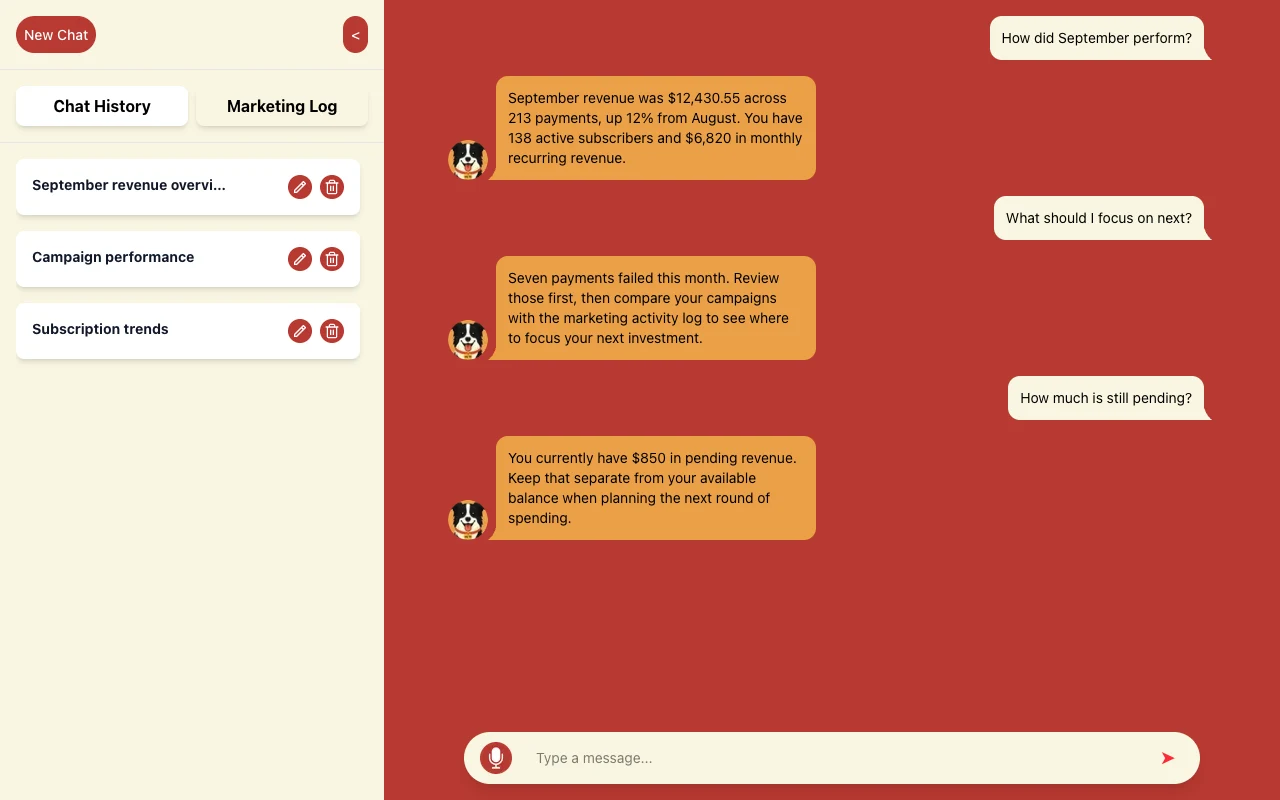
We built the product for WLTR.AI, a conversational way to understand business performance. Users ask questions in chat and receive answers about revenue, subscriptions and marketing activity. It illustrates a chatbot with data access; the screen alone does not establish autonomous action.
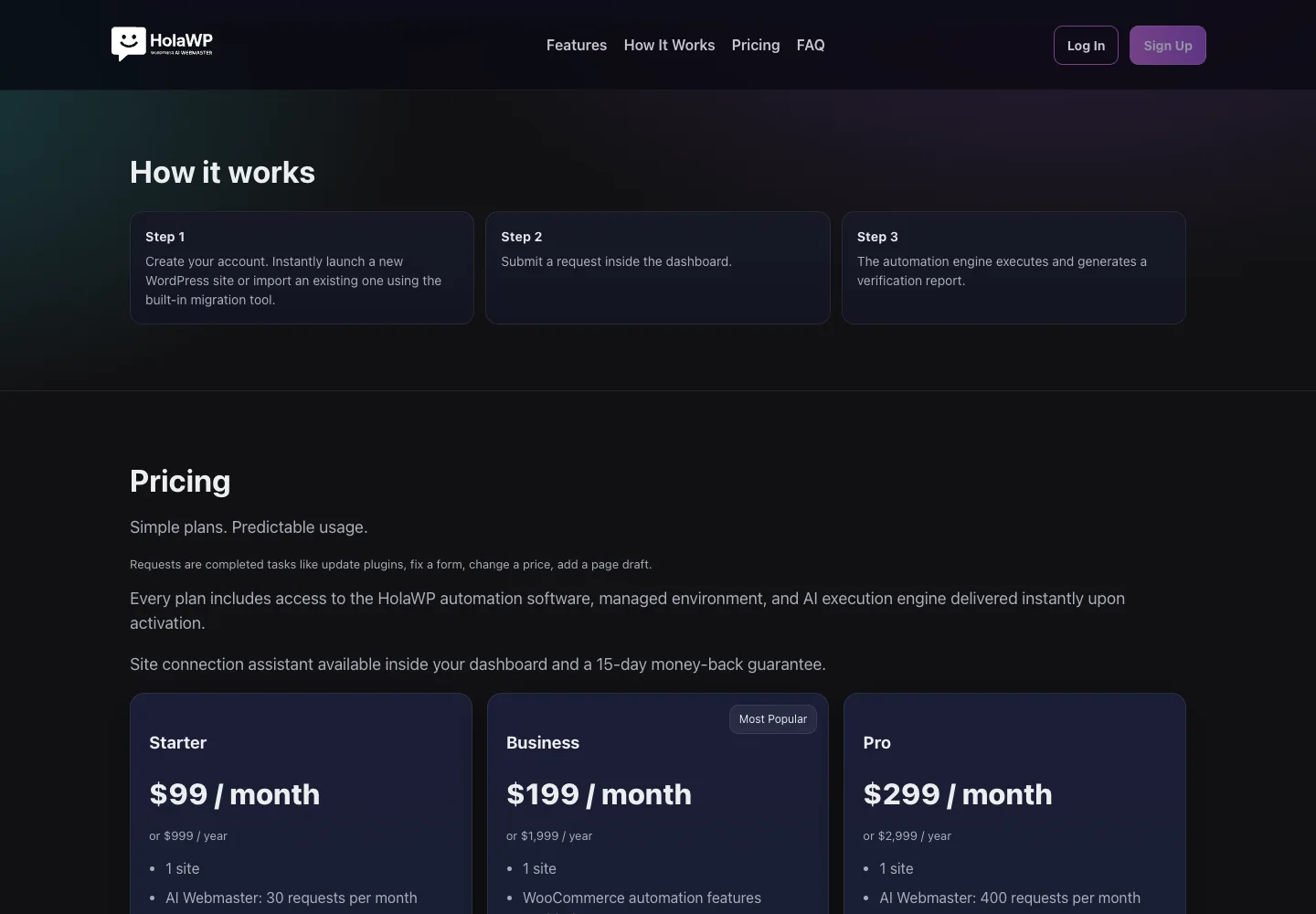
HolaWP is our own SaaS for WordPress setup, staging, migration and troubleshooting, with server-side caching and AI-assisted diagnosis. A user submits a dashboard request; an automation engine executes it and generates a verification report. That illustrates agent-like execution with verification, without claiming every step involves AI judgment.
What changes the cost of each option?
Separate the build from monthly operation. Agents generally call the model more times per task because they inspect results, choose another step and sometimes retry; a simple chatbot may only retrieve information and answer. The actual bill depends on workload and design, so compare the same job and volume.
Chatbot costs
Budget for conversations, approved-source updates, search or storage and human handoffs. Long histories and large documents can increase AI usage even when the visible answer is short.
Agent costs
Include model calls, tool usage, stored context, retries and approval time. Cap steps per task and concurrent work, and stop tasks that cannot make progress.
Fixed workflow costs
Budget for platform runs or hosting, connected subscriptions and maintenance when tools change. Removing AI judgment does not remove monitoring or recovery work.
| Ask for | Why it matters |
|---|---|
| Expected workload | Sets the usage assumptions |
| Spend limits and alerts | Catches unusual usage |
| Human review workload | Counts your team's time |
| Maintenance owner | Keeps sources and tools current |
See our AI automation cost guide for the cost layers to compare. We provide a fixed written quote for the agreed build, while ongoing usage and subscriptions need their own assumptions. Ask who receives cost alerts and who can pause the system.
↑ Back to topA voice assistant can be a chatbot or an agent
Voice is the channel, not the level of authority. An AI receptionist might answer calls from approved information, collect a request and hand off; another might check availability and propose a booking. An agent goes further when it chooses follow-up steps across tools.
Before letting a receptionist book
- Repeat the service, date, time zone and caller details.Confirm the exact appointment before writing it, and check live availability again when the booking is committed.
- Make it clear the caller is speaking with AI.Offer a practical route to a person, including when recognition fails or the caller disputes an answer.
- Define unavailable and interrupted-call behavior.An unanswered tool request must become a pending request or handoff, not a claimed booking confirmation.
How to start with one controlled job
A useful pilot tests the actual work, including failures. If the job is entirely rules-based, start with fixed automation; for a conversational job, use the sequence below. Agree on acceptance criteria before giving the system live access.
- Step 1
Pick one job with a clear finish
Choose a recurring request such as explaining delivery status. Write what counts as resolved, what is excluded and when a person must take over.
- Step 2
Start with chatbot answers
Use approved sources and test real questions, missing information and conflicting policies. Require an honest handoff when the answer cannot be supported.
- Step 3
Add one tool action with approval
Connect a narrow action, such as creating a support task after a confirmed lookup. Preview its exact contents, require approval and check the saved result.
- Step 4
Measure the whole task
Review answer accuracy, completion, handoffs, duplicate attempts, cost per completed task and staff review time. Include tool failures and access-denied cases in the evaluation.
- Step 5
Expand only where evidence supports it
Add another action or limited agent decisions when the pilot shows a real need. Retain the ability to pause, revert changes where possible and send work to a person.
Get a proposal you can evaluate and own
Ask for an agreed task, explicit permissions and evidence of completion, rather than a promise of autonomy. Our AI automation hub covers the available build types. Fer Marketing is operated by Fer LLC in Wyoming; founder Fernando Marcano is an IT engineer with 20+ years of hands-on IT experience.
Job: what should finish, and for whom?
Sources: which answers and records are approved?
Tools: what can be read, created or changed?
Approvals: who authorizes sensitive actions?
Exceptions: who receives unfinished requests?
Ownership: accounts, source code and documentation
Your accounts and documentation
Source code, accounts and documentation belong to the client. Define who updates approved content, checks alerts and maintains access after delivery.
For agencies: white-label
We work under your agency's brand, with NDA and non-solicitation available. See white-label web development and include your review and client handoff requirements in the scope.
Contact us with the job and current tools for a fixed written quote before work starts. Payment is by card through Stripe after scope is agreed. We serve the US market in English and Spanish and reply the same business day, 9 AM to 9 PM ET, by WhatsApp, phone or the contact form.
↑ Back to topWe can build this for you
Want us to build the right system for the job?
We can scope and build your chatbot, bounded agent or fixed automation. You receive a fixed written quote before work starts, with permissions and acceptance checks agreed.
- Defined job, approved sources and escalation rules
- Agreed tool connections, permissions and approvals
- Critical-path checks, action logs and failure handling
- Running-cost assumptions and operational handover
- Client-owned source code, accounts and documentation
Frequently asked questions
What is the difference between AI agent and chatbot?
A chatbot primarily answers within a conversation. An AI agent can select tools and choose steps toward a goal within its permissions. There is overlap: a chatbot can have a guarded order lookup without needing broad freedom to change records or decide what happens next.
Should I choose a chatbot or AI agent for my business?
Choose a chatbot for approved answers, intake and human handoff. Add narrow actions when useful, and choose an agent when the task needs changing sequences of tool use. If the job follows stable conditions, fixed automation may be the better starting point.
Does connecting a chatbot to my CRM make it an agent?
No. A restricted lookup or a predefined task-creation action can remain part of a chatbot workflow. Ask what records it can access, what it can change and whether it chooses its own next steps. Those permissions matter more than the label.
AI assistant vs AI agent: are they the same?
Assistant is a broad product label and does not establish a specific level of autonomy. It can describe a question-answering interface or a system with tools. Ask the supplier to demonstrate the permitted actions, approvals and stopping conditions instead of relying on the name.
Is agentic AI better than a chatbot?
Only when the extra decision-making helps complete the job. It also adds more execution paths, cost controls and supervision to manage. For common questions with occasional verified lookups, a chatbot with human handoff may cover the need with fewer moving parts.
Do AI agents cost more to run than chatbots?
They often use more model calls per task, especially when inspecting results and retrying. The comparison still depends on volume, model usage, connected tools and human review. Request a running-cost estimate for the same workload alongside the fixed written build quote.
Can an AI receptionist book appointments safely?
It can be designed to book within strict rules, but no design guarantees error-free bookings. Confirm the service, time zone, caller details and live availability before saving. Give uncertain callers and scheduling exceptions a human route, and never confirm an action whose result is unknown.
Can you deliver this under our agency's brand?
Yes. White-label work is available under your agency's brand, with NDA and non-solicitation available. We agree on the scope in a fixed written quote before work starts, including review and handoff responsibilities. The client owns the source code, accounts and documentation.
Send us your task for a fixed written quote and a same-business-day reply, 9 AM to 9 PM ET, with white-label delivery available for agencies.