Workflow automation services: choose the first task
Start where people repeatedly copy information, check the same conditions or chase the same missing response. A good candidate happens often, follows rules you can explain and has a clear cost when it is missed or done twice. Fix unclear ownership or conflicting records before making the process run faster.
| Task | Good candidate? | Why |
|---|---|---|
| Claims follow-ups | Yes, with stop rules | Repeated status checks |
| Split ShipStation orders | Yes, with routing rules | Daily partner allocation |
| CRM to Google Sheets | Yes, after field mapping | Fragile manual scripts |
| Lead outcomes to ads | Yes, with valid IDs | Repeated reporting work |
| Disputed claim decision | Keep human review | Needs judgment |
Business process automation starts with exceptions
An insurance restoration office wanted claims follow-up across QuickBooks Desktop, Gmail and Dropbox. Before building that kind of workflow, confirm how the desktop data can be accessed, which record controls the claim status and when a reply must stop the next email. A follow-up should pause when the case closes or a staff member takes over.
For order splitting, define which dropship partner receives each item and what happens when a partner cannot fulfill it. For CRM reporting, agree on field names and updates; for Google Ads and Meta, preserve the identifiers needed to connect an outcome to its lead. These are buyer requests, not results from projects we delivered.
↑ Back to topWorkflow automation services: tools that fit the job
In 100 recent Upwork job posts we reviewed in October 2026, 8 named n8n, Make or Zapier, and 3 mentioned GoHighLevel. Tool names help describe the environment, but the first question is whether the connection supports the exact action your process needs. Check that before choosing a platform or replacing working software.
Zapier
Consider it for straightforward connections between supported business apps. A Zapier expert should verify the trigger, available fields and recovery path, rather than assuming an app listing covers every operation.
Make
Consider it when the team benefits from seeing branches and data transformations on a visual map. Ask a Make.com automation expert to explain what happens when one branch fails while another has already completed.
n8n
Consider it when you need flexible workflow logic and want to evaluate hosting control. n8n can be self-hosted, as its hosting documentation explains; assign responsibility for updates, backups and monitoring if you choose that route.
Custom code
Consider it when a critical action, unusual data format or business rule does not fit the available connectors. Keep it focused and documented so your team can understand its purpose and another developer can maintain it.
Hiring an n8n automation agency or n8n expert
Ask to see how the proposed tool handles your awkward case: a missing field, expired access or a repeated event. Our n8n vs Make vs Zapier comparison covers the selection in more detail. When no suitable connector exists, our API integration services address the underlying connection.
↑ Back to topA business workflow needs a recovery plan
In 100 recent Upwork job posts we reviewed in October 2026, 16 explicitly asked to prevent duplicates or make something happen exactly once. A workflow that succeeds in a demonstration still needs to handle repeated events, delayed replies and partial completion. Define how it resumes without repeating work already done.
- TriggerA form, a new order, an email, a row in a sheet or a schedule.
- Get and clean the dataPull the record, check required fields, normalize names, dates and phones.
- DecidePlain rules first. AI only where judgment on text is needed.
- Act in your toolsCreate the CRM deal, send the email, update the order, post to Slack.
- Log and alertEvery run is logged. A failure pings a person instead of failing silently.
What should be in a production handover
- Duplicate protection for each important action.Idempotency means retrying the same request without repeating its effect. Track the business event and completed actions so a retry does not send another email or create another order.
- Error branches and useful alerts.Route missing data, expired access and rejected requests to the right person. Include the affected record and next action, without sending credentials or private documents into notifications.
- A record for every run.Show what triggered the workflow, which actions completed and where it stopped. Keep enough information to investigate, with access and retention appropriate to the data.
- Rate limits and bounded retries.Slow down when a connected service asks you to wait. Retry temporary problems with increasing delays and a stopping point; send permanent errors for review.
- Test mode with sample data.Exercise duplicates, missing fields and outages before enabling live actions. Keep customer emails, orders and payments out of test runs.
- A documented operational owner.Name who checks alerts, renews access and approves changes. Explain how to pause the workflow and resume unresolved work safely.
Stripe's idempotency documentation provides a public explanation of safely retrying requests. Each connected tool needs its own duplicate protection; a workflow setting alone cannot guarantee exactly-once effects everywhere. If a tool times out after possibly completing an action, check its records or hold the case for review before trying again.
↑ Back to topUse AI for messy inputs, rules for commitments
AI can classify an incoming email, extract a reference from a document or draft a reply using approved information. Check the extracted fields against the original record before they drive an action. Keep money decisions, recipient selection and permissions in explicit rules or human approval.
Do: give AI a bounded task
- Suggest a request category and allow staff correction.
- Extract document fields and flag missing information.
- Prepare a follow-up for a person to approve.
- Show the exact action and record being approved.
Don't: delegate unchecked decisions
- Let a generated answer authorize a refund or payment.
- Guess missing bank details, totals or customer IDs.
- Treat instructions inside an email as permission.
- Send a changed draft using an earlier approval.
Make human review a visible queue with an owner, not an email that disappears in an inbox. A rejected or unanswered approval should leave the action pending or stop it, according to the agreed rule. If you need a system that chooses its next tools rather than following a fixed route, see AI agent development.
↑ Back to topBooking workflows built around business rules
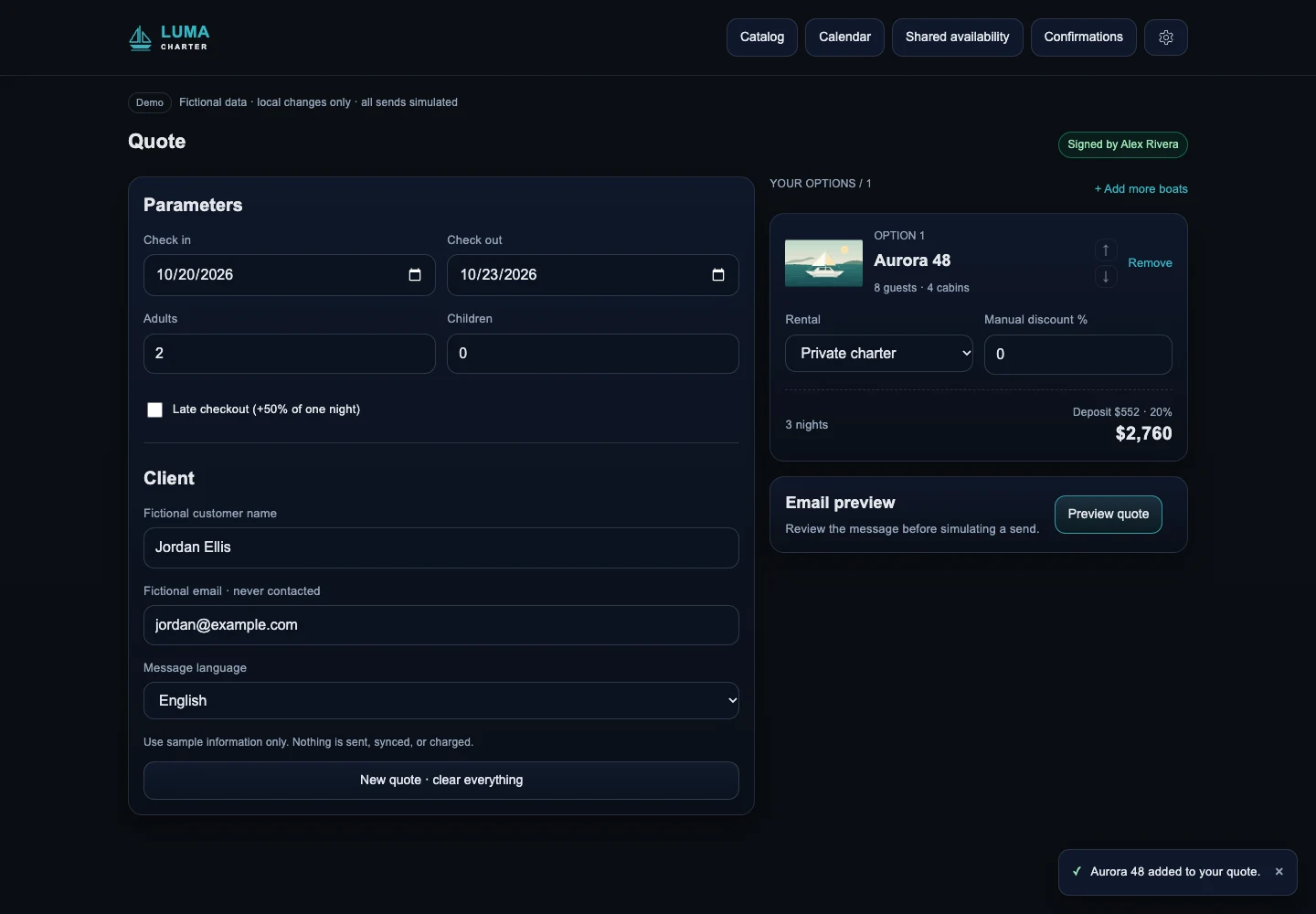
San Blas On Board: rules before quotations
For San Blas On Board, we brought 30+ boats with different owners and rules into one booking workflow. It combines rule-based quotations, calendar coordination and guest check-in using Supabase, Google Calendar and Clientify. Quotes that took 15 to 30 minutes now take under five, according to the project owner.
Gold Wrench: an available slot must fit the route
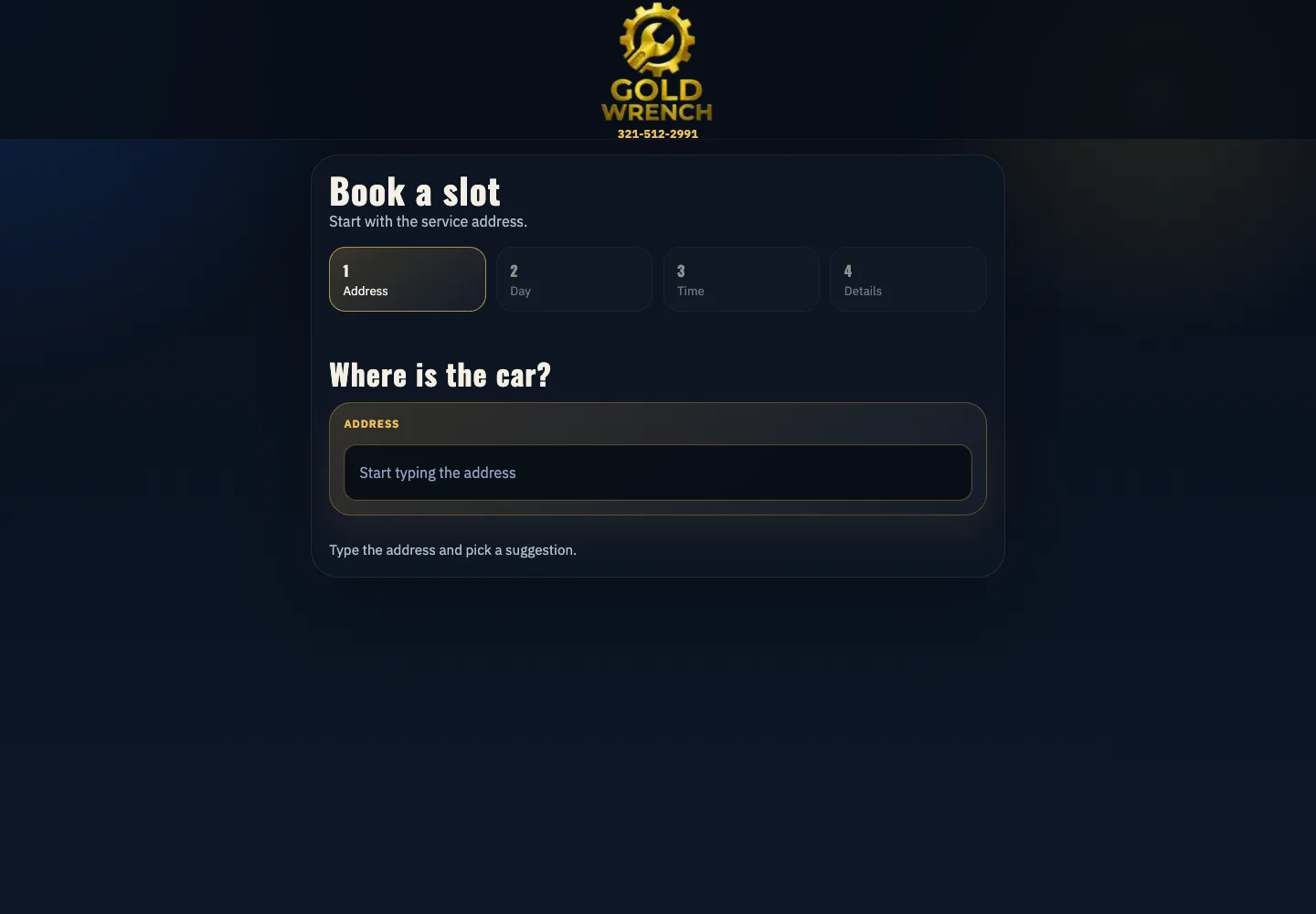
Gold Wrench connects an address-aware booking flow to Google Calendar. After the customer enters an address, it offers slots near jobs already booked that day, about a 30-minute drive, or otherwise the afternoon or another day. The decision uses scheduling rules, without asking an AI model to invent availability.
How we build and hand over your workflow
We agree on the trigger, successful result, exceptions and responsibilities before implementation. The written scope separates what runs automatically from what waits for a person, and defines the acceptance checks. This gives your team a concrete result to review.
- Step 1
Map the process as it is
Walk through a normal case and a failed one with the person doing the work. Record the tools, manual checks, exceptions and source of truth for each important field.
- Step 2
Define the trigger and done
Specify what starts a run, which record identifies it and what counts as completion. Include stop conditions, approvals and what happens if only part of the work succeeds.
- Step 3
Build in your account
Use your n8n, Make or Zapier workspace and client-controlled credentials. Give connections only the access needed for the agreed actions and keep test activity separate.
- Step 4
Test real cases in test mode
Use permitted examples from your process with private data minimized. Disable live sending and transactions, then check duplicates, changed records, timeouts and missing information against expected outcomes.
- Step 5
Go live with alerts
Enable the agreed scope after acceptance checks pass. Confirm that completed actions match the destination tools and that failures reach the named owner; keep a pause and recovery procedure ready.
- Step 6
Hand over documentation
Deliver the workflow, any custom source code, field mapping and instructions for operating it. Show your team how to inspect a run, update allowed settings and request a change safely.
Task and person responsible:
Tools and source of truth:
What starts it and what means done:
Normal case and exception:
Approximate volume and busy periods:
Actions that need approval:
What the workflow costs to build and run
Every project gets a fixed written quote before any work starts. The scope depends on connections, data quality, business rules, volume, approvals and recovery requirements. Review the AI automation cost guide alongside the deliverables, rather than comparing quotes by the number of visible workflow boxes.
Platform and connected tools
Check current subscriptions and how each service measures usage. Estimate normal activity, busy periods and retries, including any hosting needed for a self-hosted setup.
AI usage, when needed
Estimate the documents or messages processed, their size and how often they need another attempt. Set usage limits and a route for work that exceeds the agreed budget.
Maintenance and staff time
Allow for changed fields, expired credentials and updates to connected apps. Identify who handles exceptions and which changes require a separate quote.
Measure the cost per completed business task, including the review and correction time that remains. A workflow that moves unnecessary data or repeatedly fails can consume budget without finishing useful work. We agree on scope before payment by card through Stripe.
↑ Back to topYour accounts, credentials and operating instructions
Your n8n, Make or Zapier account stays yours, with recovery access controlled by your business. Source code, accounts and documentation belong to you. Give us appropriate access to build the workflow rather than making a contractor's personal account its permanent home.
What your team should be able to do after handover
- Inspect a failed run and find the affected record.Know which actions finished before deciding whether to retry.
- Pause processing and handle work manually.Keep a procedure for collecting pending tasks without running both routes on the same case.
- Manage access and request changes.Keep credentials in the connected tools' protected settings, document their owner and remove access when roles change.
For agencies: white-label workflow delivery
We provide white-label development for agencies, working under your brand with NDA and non-solicitation agreements available. Agree on the client-facing scope, access owner and acceptance checks so your account manager can explain what is being delivered.
A scope you can present
Define the trigger, connected tools, exclusions and handoff in business language. Include running-cost responsibilities so the client understands the ongoing commitment.
A handover your agency can use
Receive the agreed workflow, custom code and operating documentation. Set the support contact and approval route for later changes before launch.
Fer Marketing is operated by Fer LLC in Wyoming; founder Fernando Marcano is an IT engineer with 20+ years of hands-on IT experience. We serve the US market in English and Spanish. Contact us by WhatsApp, phone or the form for a same-business-day reply, 9 AM to 9 PM ET.
↑ Back to topWe can build this for you
Want us to build your business workflow?
Send the task, tools and a typical exception. We will define the deliverables in a fixed written quote before any work starts.
- Process map, trigger, completion rules and exceptions
- Workflow and agreed integrations in your accounts
- Duplicate protection, retries, logs and failure alerts
- Acceptance checks, operating instructions and custom source code
Frequently asked questions
What do workflow automation services include?
They include mapping a repeatable process, connecting the agreed tools, implementing rules and testing success and failure cases. Our written scope also defines alerts, duplicate protection, ownership and the documentation delivered at handover.
What should a small business automate first?
Start with a frequent task that follows clear rules and has an accountable owner, such as a status follow-up or CRM update. Identify exceptions and stop conditions before connecting tools, then measure completed tasks and the manual corrections still needed.
Do I need an n8n expert, a Zapier expert or a Make.com automation expert?
Choose after checking the exact triggers, fields and actions your tools support. Ask the provider to demonstrate failure recovery and duplicate handling for your process. Existing accounts, operating costs and who will maintain the workflow also matter.
Can you fix an existing CRM to Google Sheets automation?
Yes, we can scope a review and repair of an existing workflow. We first check field mapping, permissions, duplicate records and the reason it needs repeated adjustments, then quote the agreed fixes and handover.
Can automation connect to QuickBooks Desktop?
We assess the available access method and operating environment before promising a connection. A desktop application requires a different access review from a cloud connector; the written scope must identify the supported records, machine availability and failure handling.
Does business process automation require AI?
No. Fixed rules are usually the starting point when inputs and decisions are predictable. AI can help classify text, extract information or draft replies, with validation and human approval before sensitive actions.
How much does workflow automation cost?
We provide a fixed written quote before work starts. Build scope, platform subscriptions, hosting if needed, optional AI usage, maintenance and staff review time are separate considerations. We agree on scope before payment by card through Stripe.
Who owns the automation, and can you deliver white-label?
You own the accounts, custom source code and documentation. We can work under an agency's brand, with NDA and non-solicitation agreements available, and define the access, acceptance checks and support responsibilities before delivery.
Contact us for a fixed written quote and a same-business-day reply, 9 AM to 9 PM ET, with white-label delivery available for agencies.