What the plugin does
AI assistants and agents read text more reliably than designed HTML full of menus, sliders and scripts. The plugin gives them two simple entry points, following the llms.txt proposal, without changing what visitors see.
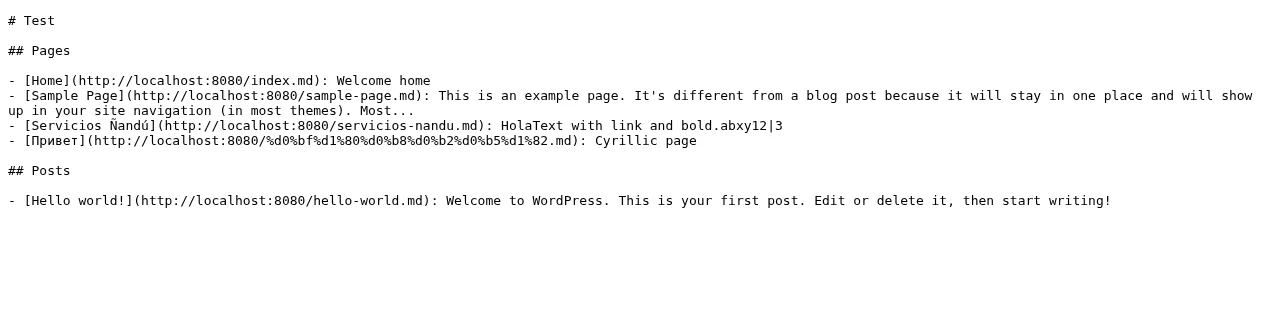
/llms.txt index
Lists your public pages and posts with title, link and a short summary, plus an optional intro you write (who you are, what you offer, where you work, how to contact you).
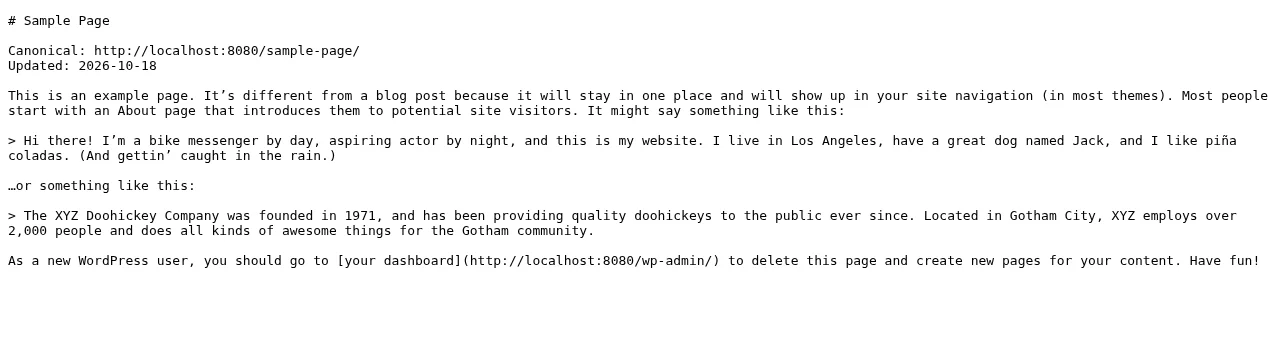
Markdown copy of each page
Every public post or page is also served as Markdown at its URL plus .md, for example /services.md. The front page is /index.md.
Discoverable from the page
Adds a <link rel="alternate" type="text/markdown"> tag to the HTML head of those pages, so a reader of the page can find its Markdown version.
Only public content
Skips drafts, private and password-protected content, and pages marked noindex in Yoast SEO or Rank Math.
Who it is for
- Business sites that want AI assistants to read their services, pricing and contact pages accurately.Especially service businesses whose key facts are buried in page-builder layouts.
- Agencies managing client WordPress sites.One lightweight plugin, one settings screen, no account or API key.
- Sites that already use Yoast SEO's llms.txt.Turn off the plugin's llms.txt option and keep only the Markdown pages.
How to install it
- Step 1
Download the zip
Download fer-markdown-for-ai.zip (7 KB). The plugin is pending WordPress.org review, so it is not in the plugin directory yet.
- Step 2
Upload and activate
In WordPress go to Plugins > Add New > Upload Plugin, choose the zip, install it and click Activate.
- Step 3
Choose what to serve
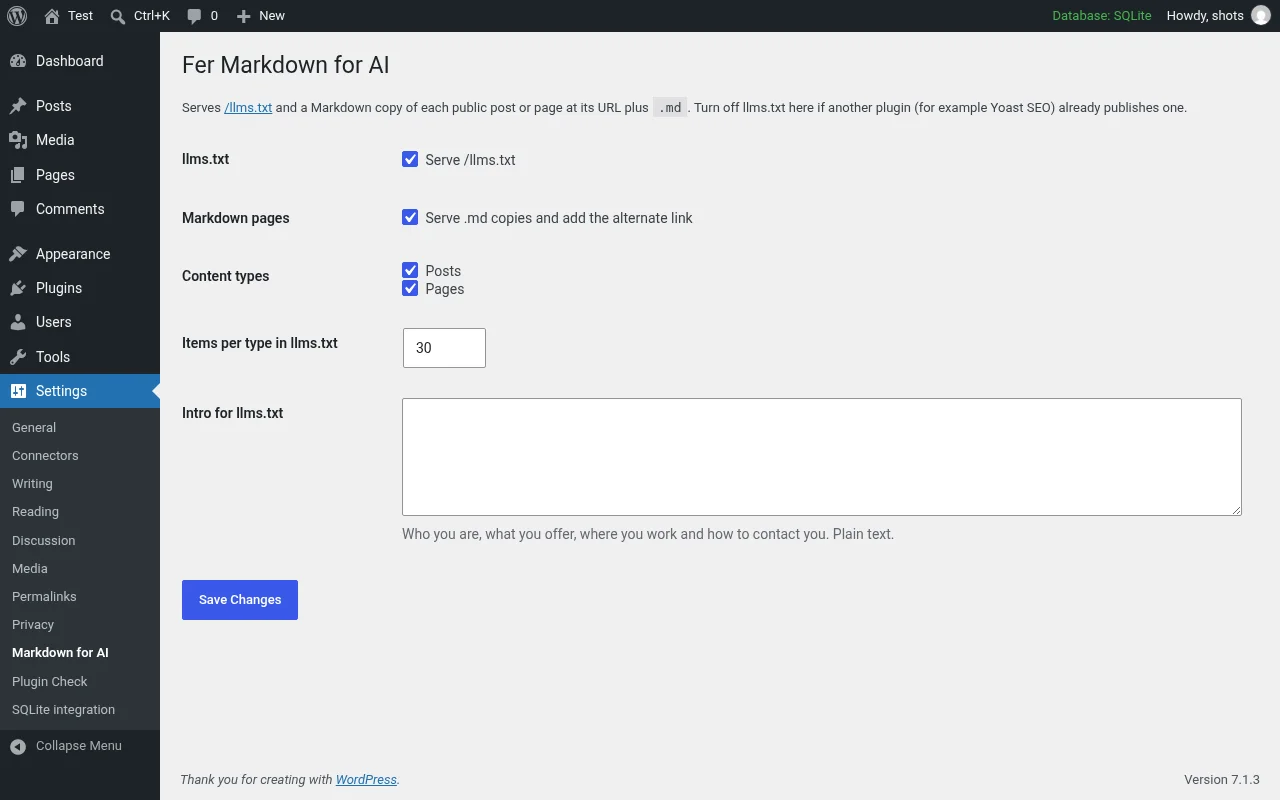
Open Settings > Markdown for AI. Turn llms.txt and the Markdown pages on or off, pick posts and/or pages, set how many items per type appear in llms.txt and write a short intro.
- Step 4
Check the output
Use pretty permalinks, then open yoursite.com/llms.txt and any page URL plus .md (for example yoursite.com/about.md). If you use a page cache or CDN, purge it once.
Privacy and removal
The plugin only builds text from your own published content when /llms.txt or a .md URL is requested. It makes no external requests, sends no data anywhere and sets no cookies. Deleting the plugin removes its single option (fer_mdai_options).
↑ Back to topWe can do this for you
Want us to set it up and write your llms.txt intro?
We configure the plugin, write the business summary and check every public Markdown route on your WordPress site, under your brand if you are an agency.
- Fixed written quote before work starts
- English and Spanish
- White-label for agencies
Frequently asked questions
Is the plugin free?
Yes. It is free and licensed GPLv2 or later.
Is it on WordPress.org?
It is pending WordPress.org review. Until it is approved, download the zip from this page and upload it in Plugins > Add New > Upload Plugin.
Does it send data anywhere?
No. It makes no external requests and sets no cookies. It only reads your own published content when /llms.txt or a .md URL is requested.
I already have Yoast SEO's llms.txt. Can I still use it?
Yes. Turn off the llms.txt option in Settings > Markdown for AI and keep only the Markdown pages, so you do not publish two llms.txt files.
Will private or noindex pages appear?
No. Drafts, private and password-protected content are skipped, as are pages marked noindex in Yoast SEO or Rank Math.
Why do the .md URLs return 404?
Use pretty permalinks (Settings > Permalinks, any option except Plain) and purge any page cache or CDN once after activating.
Will this improve my Google rankings?
There is no evidence that llms.txt or Markdown copies improve Google rankings. Treat them as a convenience for AI readers, alongside a clear, fast website.
Download the plugin, try it on a staging site first, and tell us what you would like it to do next.