How to set up Google Business Profile: what matters
Google describes local ranking through relevance, distance and prominence. These are useful priorities for your work, not a formula for buying a position in Maps. Google's local ranking guidance explains the factors.
Relevance
Help Google understand what your business does with accurate categories and complete details.
Distance
Results depend on the searcher's location; a large service area does not erase distance.
Prominence
Genuine reviews and links from other websites help establish how well known the business is.
Start with the customer's practical question: can this business solve my problem here, and how do I reach it? For a plumber, mechanic or cleaning company, an accurate service list and a working phone route deserve attention before decorative posts.
↑ Back to topHow to set up Google Business Profile: first checks
If you are researching how to create a Google Business Profile, search Maps for the business name and former names first. Claim an existing listing rather than creating a second one; if another account owns it, use the ownership request route. Keep the business owner in control of the account and give helpers their own access.
- Eligibility
Confirm the business qualifies
Profiles serve eligible businesses that meet customers in person, including businesses that travel to customers. An online-only business is not eligible merely because it has a mailing address; Google provides the profile at no charge. See Google's getting-started guide.
- Location
Choose the right business model
Use a customer-facing location when customers genuinely visit it. If you travel to customers and do not receive them at your base, hide that address and define the places you serve; Google explains service-area and hybrid businesses.
- Verification
Complete Google's available method
Google determines which verification options appear and may require more than one method. Follow the offered process with the owner, prepare evidence of the real business and keep verification codes private. Do not promise a postcard or an immediate approval; consult Google's verification guidance.
Google Business Profile checklist: the essentials
A complete profile should answer everyday buying questions. This table is a quick reference; the checklist underneath gives each item a practical acceptance test. Available fields vary, so use the relevant options in Google's profile editing guidance.
| Field | What to put | Common mistake |
|---|---|---|
| Name | Real business name | Added search phrases |
| Category | Main business type | Every possible category |
| Location | Real site or service area | Rented mailbox |
| Hours | Actual customer hours | Forgotten holidays |
| Phone | Business-controlled line | An unanswered number |
| Website | Matching local page | Wrong branch or language |
| Services | Jobs you actually take | Vague keyword lists |
| Photos | Real work and team | Stock images only |
Mark complete only after checking the public result
- Use the real business name and the best primary category.Choose the available category that describes the core business, then add only relevant secondary categories. Put individual jobs in the services list; the name should match the business customers actually know.
- Confirm the address or service area reflects operations.Check the map pin if customers visit. For mobile services, list places you genuinely cover and remove a non-customer-facing address from public display; do not publish your home as a storefront.
- Check regular hours and upcoming exceptions.Ask the person answering inquiries to confirm the schedule. Review holidays and temporary closures, and make the website's availability language consistent with how you actually accept work.
- Call the listed number from a phone.Check who answers, the voicemail greeting and what happens outside working hours. Make sure someone owns the follow-up on missed calls, rather than assuming the number alone solves lead handling.
- Open the website and booking links as a visitor.Land on the correct service or location, test both languages where offered and complete a test request. Check the confirmation and the staff notification; a form's success message is only one part of the journey.
- List services in the customer's words.Separate the jobs customers ask about and explain relevant limits. A mobile mechanic's visitor needs to know whether their specific repair can be handled at their location before booking.
- Upload useful photos of actual work.Show the team, equipment and finished work with appropriate permission. Avoid exposing customer addresses, license plates or private records, and replace images that no longer represent the business.
- Set an owner for review requests and replies.Use a consistent invitation after completed work, regardless of whether you expect praise. Keep a record of unanswered feedback and recurring service problems so replies lead to operational improvements.
- Check name, address and phone consistency.NAP means name, address and phone. Correct old names, wrong numbers and outdated locations on your website and important listings, while keeping a private service-business address private.
- Review common questions and retain account access.Keep useful answers on the website, inspect any existing profile questions you can manage and verify the owner can still sign in. Remove access for former staff when responsibility changes.
Google Business Profile optimization: build trust
Make an honest review invitation part of finishing a job, rather than a campaign that only runs when business is quiet. Ask for the customer's experience in their own words, without writing the review for them. Google's fake engagement policy prohibits incentives and selectively soliciting positive reviews.
Thanks for choosing us for your recent service.
Would you share your experience on Google?
Your honest feedback helps other customers.
Review link: [your business review link]
Reply like the person responsible for the work
Thank the customer specifically without publishing their job details. For a complaint, acknowledge the issue and offer a private route to resolve it; avoid arguments about private records in public. Review recurring complaints with whoever handles scheduling, estimates or repairs.
Photos and Q&A should answer real doubts
Use real photos to explain what customers can expect, such as the service vehicle, equipment or a completed job. Google's Q&A change notice describes changes to how questions are handled and says owners can still answer existing questions. Check what is available on your profile and keep durable answers about coverage, appointments and languages on your own local page.
↑ Back to topLocal pages that turn a Maps visit into a lead
Link the profile to a page that matches the business, location and service the visitor expects. For one service business, that may be the homepage; for a genuine branch, it may be a dedicated location page. Explain actual coverage, the jobs you take, practical restrictions and how to request service.
Make contact easy
Give phone visitors a visible tap-to-call link and a short request route. Explain when they should expect confirmation instead of leaving them to wonder whether a submission worked.
Show local knowledge
Use real service details and relevant work examples. Do not create a page for every nearby city by changing only its name, or imply an office exists where there is none.
Describe the real business
Use suitable LocalBusiness structured data that agrees with visible content. Check address requirements and privacy before publishing markup for a business based at home.
Google's LocalBusiness documentation explains required and recommended properties. Google requires a physical address for this rich-result feature; do not invent one or expose a private address to satisfy a test. Validate the implementation and treat eligibility as separate from any guarantee of display or ranking.
- Had no tap-to-call link
- 15%
- Had no form in homepage or contact page HTML
- 27%
Our October 2026 study of 300 law firm websites, not a benchmark for every service industry.
That study checks website implementation, not the number of leads firms received. For legal practices, pair this checklist with SEO for lawyers and a law firm marketing plan. For any service site, review mobile usability and form email delivery before buying more traffic.
↑ Back to topLocal SEO shortcuts that put your listing at risk
Use Google's business representation guidelines as the boundary for profile edits. A keyword idea is not a reason to change the business identity or invent a location.
Do: represent the real business
- Keep the established, real-world business name.
- Use eligible premises or an honest service area.
- Maintain one listing per eligible business location.
- Invite genuine feedback without rewards or screening.
Don't: manufacture local signals
- Stuff keywords into names or rename constantly.
- Use fake addresses or ineligible virtual offices.
- Create duplicate listings for nearby cities.
- Buy reviews, gate them or offer incentives.
The FTC's review rule took effect on October 21, 2024, and addresses fake reviews and incentives conditioned on a positive or negative sentiment. Google's policy separately prohibits review incentives, including a discount for an honest review. See the FTC's review-rule answers and the Google review policy.
↑ Back to topGold Wrench: local visibility plus bilingual booking
Gold Wrench is a mobile mechanic in Orlando, formerly marketed as 'mecánico a domicilio'. Fernando has handled the business's local SEO and Google presence for years, and the business gets a steady flow of calls. Its website also gives English- and Spanish-speaking customers a service catalog and an integrated booking journey.
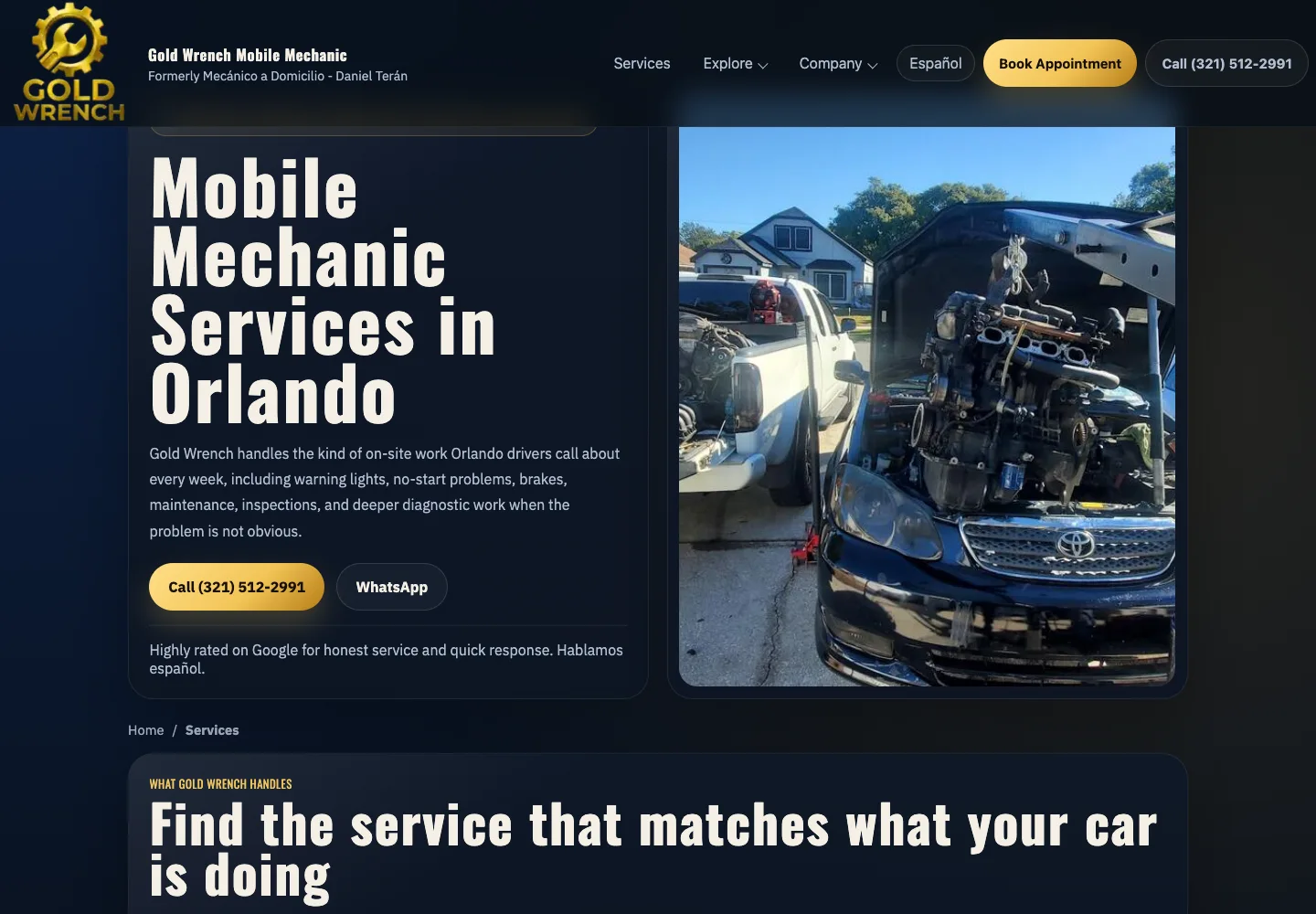
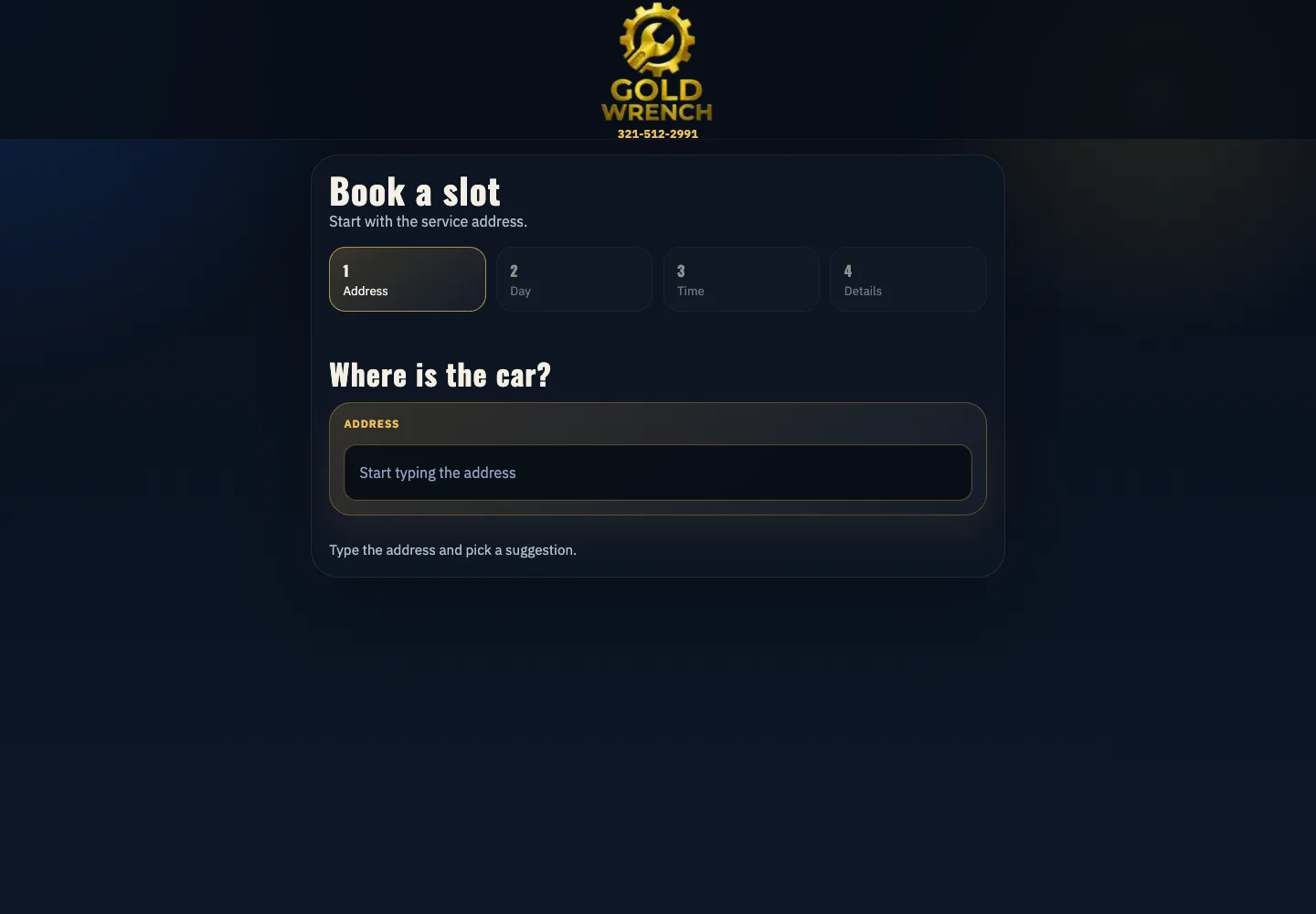
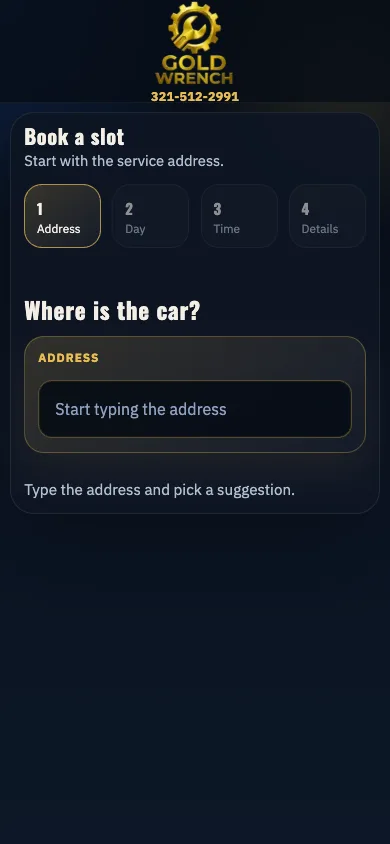
This is a custom website built with HTML, CSS, JavaScript, PHP and Google Calendar. We apply the same approach to WordPress: understand how the business works, then connect the page, form and scheduling system around that process. The public profile is only one part of that work.
↑ Back to topHow local booking automation cuts phone tag
For a mobile mechanic, an empty calendar slot is not automatically a sensible appointment. Driving across Orlando between jobs wastes working time, so Gold Wrench's booking logic considers the customer's address alongside appointments already booked that day.
- Step 1
The customer enters the service address
The booking journey starts with where the vehicle needs service. This gives the system a location to compare with the day's existing appointments.
- Step 2
The system checks Google Calendar
It checks the mechanic's calendar for that day and considers the appointments already booked in each zone. Availability and travel fit are evaluated together.
- Step 3
Nearby appointments guide the first options
If the address is within about a 30-minute drive of booked appointments in that zone, the system offers nearby slots first. A customer in the north area might see a morning option that fits other jobs there.
- Step 4
Other times are offered when the route does not fit
Otherwise, the system offers the afternoon or another day according to availability. The result is less driving between jobs and booking without phone tag.
Average cost of local SEO for small business
There is no useful single average without defining the work. A profile correction, new bilingual service pages and a custom calendar integration require different scopes; ask what the quote delivers and who keeps each part current. Google's profile is free, while professional setup, content and integration work are services you may hire.
| Work | Initial scope | Ongoing check |
|---|---|---|
| Profile | Access + accurate details | Hours + public edits |
| Local pages | Copy + contact route | Services + coverage |
| Reviews | Neutral request process | Replies + issues |
| Booking | Rules + integration tests | Calendar + delivery |
Our WordPress management service starts from $250, with a fixed written quote before work. That starting price is not a promise that every local SEO or automation project costs $250; we scope the profile, pages, integrations and ongoing responsibilities together. Founder Fernando Marcano is an IT engineer with 20+ years of hands-on IT experience.
Business name and existing Google profile link
Website and main services
Customer-facing address or service coverage
Languages, booking tools and current problems
Who answers calls and confirms appointments
For agencies, we can deliver white-label WordPress work, with staging on your agency domain and NDA and non-solicitation terms available. Agree on ownership, client communication and acceptance tests before delivery. Pay by card through Stripe after the scope is agreed.
↑ Back to topWe can do this for you
Want us to connect your profile, pages and bookings?
We can set up your eligible Google Business Profile and the local website journey behind it. We agree on the pages, integrations and tests in a fixed written quote before work.
- Profile ownership, categories, hours and contact details
- Matching local pages and suitable business structured data
- Bilingual forms and booking rules for your service area
- Calendar and other agreed integrations, with delivery tests
- A genuine review request process and handover responsibilities
Frequently asked questions
How do I create a Google Business Profile if a listing already exists?
Search for the business on Maps first and claim the existing listing. If another account has verified it, use Google's ownership request process rather than making a duplicate, and keep the business owner in control of access.
Can I have a Google Business Profile without a storefront?
An eligible business that visits customers can use a service-area profile. Hide the base address if customers are not served there, and describe your real coverage; an online-only business does not qualify just because it has a mailing address.
How much does Google Business Profile cost?
Google provides the profile at no charge. If you hire help, pay for a defined scope such as setup, local pages or booking integration; Fer Marketing's WordPress management starts from $250 with a fixed written quote before work.
What is the average cost of local SEO for a small business?
Compare quotes by deliverables rather than treating one figure as a universal average. The scope depends on existing profile problems, locations, languages, website pages and integrations, plus who handles ongoing updates and review replies.
Should my website link go to the homepage or a local page?
Choose the page that best matches the listed business and helps that visitor request service. The homepage may work for one local business; a real branch may need its own page with accurate contact details, services and a clear next action.
Can I give customers a discount for a Google review?
No. Google's review policy prohibits incentives even when you request an honest review. Invite customers to describe their real experience without rewards, pressure or a screening process that sends only happy customers to Google.
Do I need WordPress for local SEO and automated booking?
No. Gold Wrench's bilingual site is custom built, and its booking journey connects to Google Calendar. The same business principles apply to WordPress: clear local services, accessible contact routes and scheduling rules that match how the team works.
What should I review after the initial setup?
Assign someone to review hours, service changes, public details, new feedback and the website contact route. Repeat booking and notification tests after relevant changes, and keep the owner account and recovery access under the business's control.
Send your profile and website by WhatsApp or to fer@fer.marketing for a fixed written quote from $250 and a same-business-day reply, 9 AM to 9 PM ET, with white-label delivery available for agencies.